Design Studio

A real design canvas, not a bolted-on sketchpad

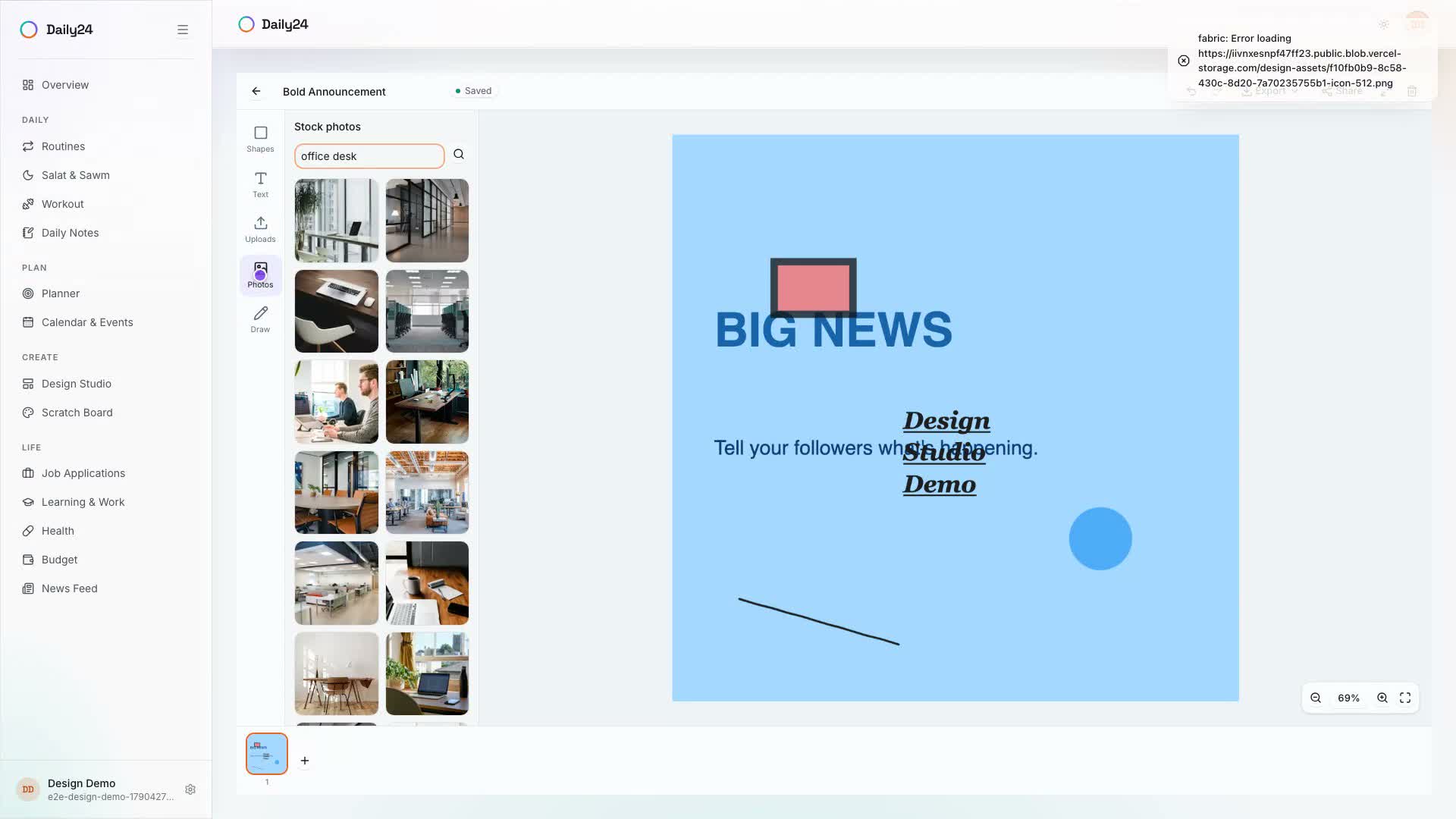
Templates or a blank canvas, shapes, text, and photos, multi-page projects that autosave, and one-click export to PNG, PDF, or PowerPoint — a full design tool living right inside Daily24.

See it in action

Templates, shapes, photos, pages, and export — in 38 seconds
Capabilities

Built for a finished design, not just a doodle

A template to start from, your own photos on hand, and an export that matches whatever you actually need it for.

Templates or a blank canvas

Start from a template — Instagram Post, Instagram Story, Facebook Post, YouTube Thumbnail, Poster, Presentation Slide, Business Card, or Quote Card — or set a fully custom size from 50px to 8000px.

Photos without leaving the editor

Upload your own images into a personal library, or search Unsplash's stock photos directly inside the canvas — no separate app, no juggling downloads.

Export to what you actually need

PNG, JPG, or SVG for a single page, or a multi-page PDF or PowerPoint (PPTX) that exports every page of your design at once.

Share without giving up the file

Turn on a public view-only link so anyone can see the finished design and duplicate it into their own account — no live co-editing surprises.

Everything included

Built for how a real design gets made

A canvas that does the basics right

  • Rectangles, circles, triangles, lines, a freehand pen, and text with font, size, bold, italic, and underline
  • Fill, stroke, and opacity on every object, plus bring-forward/send-backward layering
  • Undo/redo up to 50 steps, zoom and fit-to-screen, and a fullscreen editor

Multi-page by default

  • Add, duplicate, delete, and drag-reorder as many pages as a design needs
  • Autosaves about a second after every change, with a Saving/Saved status so nothing gets lost
  • Per-page thumbnails, so the page rail actually looks like the design

Bring files in, take a finished file out

  • Import an existing PNG, JPG, WEBP, SVG, PDF, or PowerPoint file to keep editing
  • Duplicate any design of your own, or clone one someone shared with you
  • Export a single page or every page as PNG, JPG, SVG, PDF, or PPTX

FAQ

Design Studio FAQ

A multi-page canvas with templates, your own photo library, and export to PNG, PDF, or PowerPoint — sitting on the same dial as your prayers, workouts, notes, and budget.

Anything that fits a page: social posts, stories, YouTube thumbnails, posters, presentation slides, business cards, or quote cards, from a template or a fully custom canvas from 50px to 8000px per side. A design can hold as many pages as it needs.

Design alongside the rest of your day

Daily24 also covers Routines, Salat & Sawm, Workout, Notes, Planner, Health, Budget, Calendar & Events, Job Applications, Learning & Work, and Scratch Board — free to use.

Get started, free